Why do duplicate codes occur?
With the refinement of management in the manufacturing industry, many products are labeled with a unique barcode during the production process, commonly referred to as serial number management or serial number management. However, when printing barcode labels in batches on a daily basis, there are often issues such as duplicate barcodes or missing barcodes. After understanding and analyzing a large number of customers, the main reasons for duplicate and missing barcodes are as follows:
1. Artificial duplicate printing
Due to manual input of duplicate barcode content, the alternating shifts of day and night staff have caused repeated printing, resulting in duplicate barcodes for today and yesterday, as well as for this month and last month.
2. Repeat printing in case of power failure, network disconnection, or cable breakage
In the event of communication anomalies such as sudden power loss to the printer, disconnected USB cable, or network failure, the last print task will be reprinted upon recovery, which may easily lead to duplicate or missing codes.
3. Cache or memory overflow, causing repeated printing
When printing barcodes in large quantities, due to the excessive content, the printer memory is prone to becoming disorganized, resulting in duplicate printing of already printed tasks. Sometimes, when the computer performance is low or sluggish, duplicate printing tasks may be sent, which can also lead to duplicate codes.
4. After resuming after an interruption such as changing paper, replacing the carbon ribbon, or encountering an exception during printing, duplicate printing occurs
During batch printing, if the label paper or ribbon runs out, the printer will stop. After replacing the label paper and ribbon, the printer will continue printing. However, occasional issues such as duplicate codes or missing codes may occur during this process.
How to solve the problem of duplicate codes
All the aforementioned situations can lead to duplicate codes. If we aim to completely avoid these situations and eradicate duplicate codes entirely, it is basically unachievable. So, how can we solve the product quality issues caused by duplicate codes, such as rework and customer complaints? We can only change our approach and conduct another full inspection of the printed barcode labels, sorting out the duplicate ones to prevent them from entering the formal production process.
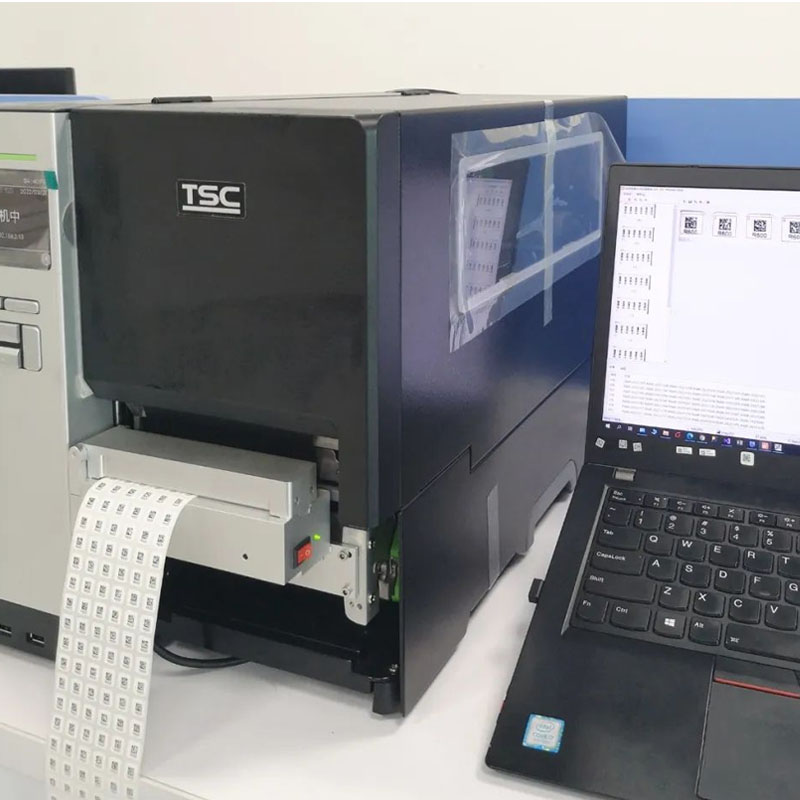
1. Scan and detect while printing
By installing a scanning camera in front of the printer's print head, we can achieve 100% full inspection while printing and scanning. In case of any abnormal barcodes such as duplicate codes, missing codes, incorrect codes, or character defects that cannot be identified, the printing will be automatically stopped and an alarm will be triggered immediately, preventing abnormal barcodes from entering the production line.
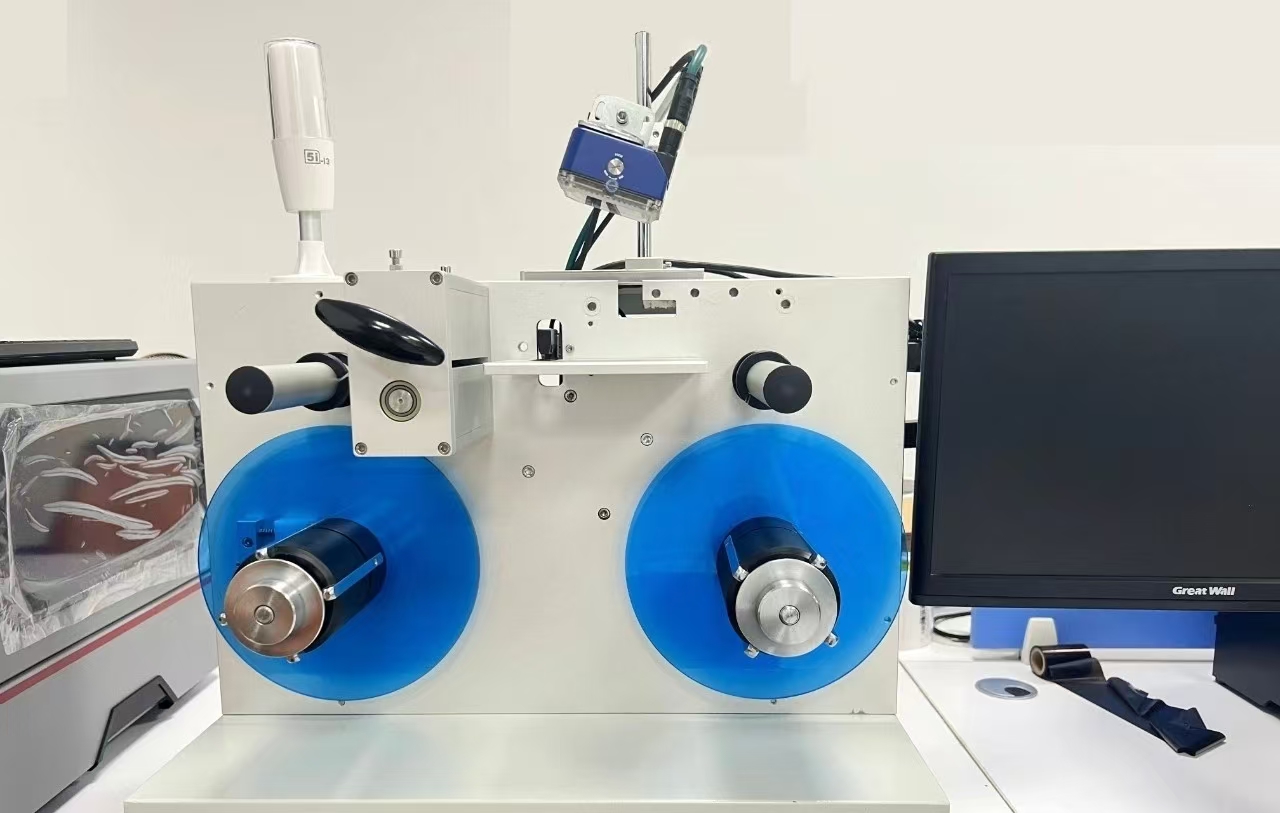
2. Automatic full inspection by machine scanning
The use of customized automated scanning machinery and equipment replaces manual labor, improves efficiency, and saves labor costs.
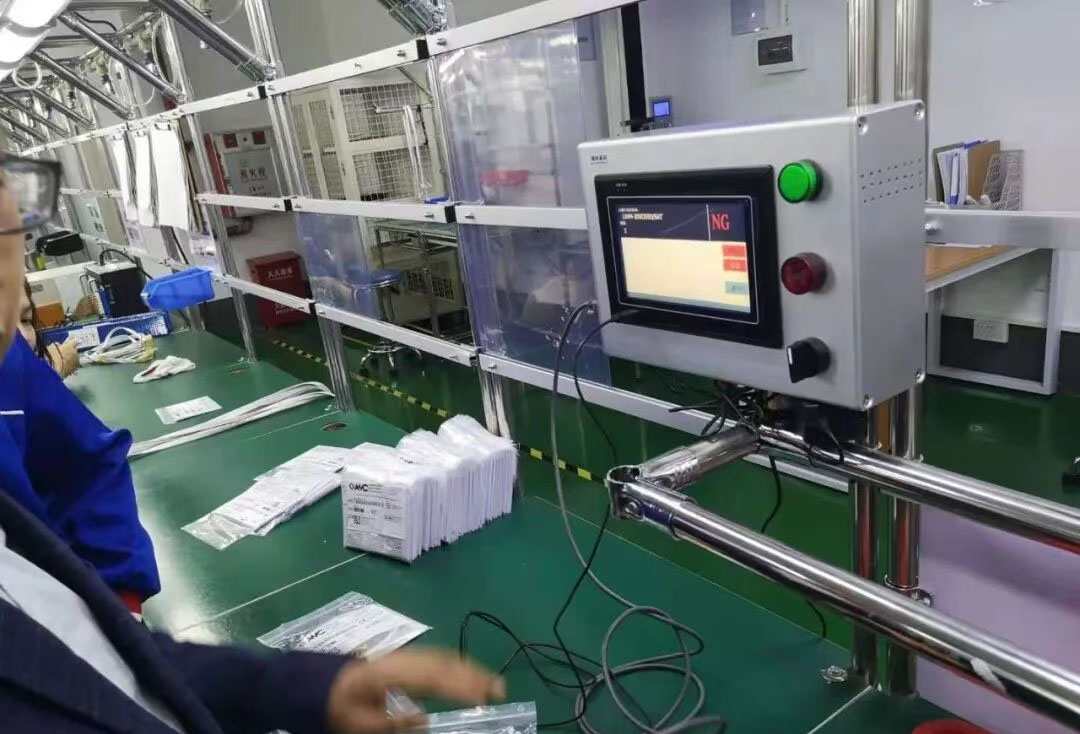
3. Full inspection through manual scanning
Currently, many factories have no choice but to arrange personnel to manually scan all printed barcodes once to avoid duplication.
All three schemes can effectively prevent abnormal labels from entering the supply chain, and different schemes can be adopted according to different application scenarios.
Contact: Kelvin
Phone: 13726505017
Tel: 86-13726505017
Email: 2277387170@qq.com
Add: 4F-32 Rainbow Fun City, Baishixia Avenue, Baoan District, Shenzhen
We chat